Our Trusted Partners
Discover the companies that rely on our solutions for seamless access.



Choosing a cloud access control system for business shouldn’t require a 40-page whitepaper and three vendor dinners. But the decision carries real weight: you’re picking the system that governs who walks through your doors, how you prove compliance, and whether your security team can manage 50 sites without losing sleep.
This guide condenses the evaluation into 10 practical checkpoints. It’s written for security directors, IT managers, and facilities leads comparing cloud-based access control vendors for one building or many. Each item covers what to require, what to verify, and what to ask, so you walk into vendor conversations with a clear framework instead of a vague wish list.
1. What Does “Cloud” Actually Mean?
Three models dominate the market, and vendors use the labels loosely.
Cloud access control means you can access your data from anywhere - the management console, access policies, and event data live in vendor-hosted infrastructure (typically AWS, Azure, or GCP) - giving you the freedom to focus on your security while Rhombus takes care of the infrastructure. You manage everything through a browser or mobile app, and firmware updates push automatically - giving you the most up-to-date software possible. Your team still makes local access decisions, but configuration and reporting happen in the cloud.
On-prem means you maintain the server, database, and software. You have to manually own the update schedule, carry the patching burden, and the hardware lifecycle cost. On-prem relies on locally hosted servers and infrastructure - which means it can be stolen and all your data can disappear with one bad actor.
Hybrid splits the difference: some processing stays local (often for latency-sensitive decisions), while the cloud handles reporting, remote management, and multi-site coordination.
For most organizations evaluating security and access control systems, cloud-managed is the default starting point. The operational savings on server maintenance and the ability to manage access control across locations from a single console make the decision straightforward, as long as the system handles offline scenarios well (more on that in item 6).
2.Demand Real Integrations, Not Buzzwords
“Open API” means nothing if the documentation is sparse and the endpoints cover only half your use cases. Evaluate integrations across three categories.
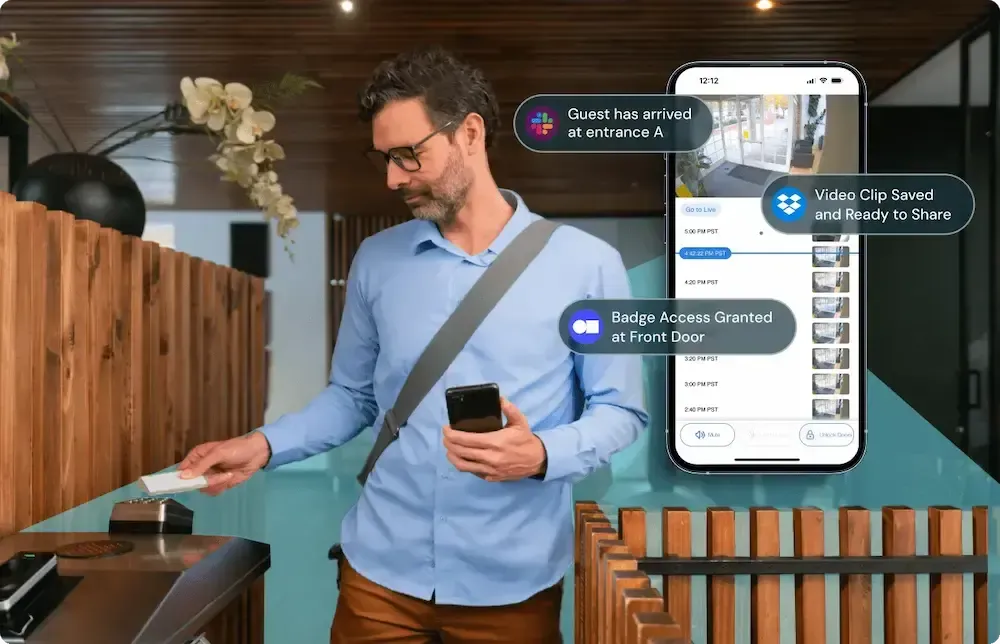
Video and alarms: The most useful access control integrations API capabilities let you correlate door events with camera footage in a single timeline. When an access-denied event fires at 2:13 AM, you want the associated video clip attached to the alert, not a separate login to a different system. Rhombus unifies access control and video surveillance on one platform, which eliminates the correlation problem entirely and simplifies incident response workflows.
Identity providers and HR systems: Directory sync with Azure AD, Okta, or Google Workspace means user provisioning flows from IT’s existing identity tools. When HR terminates an employee in the HRIS, the access control credential should deactivate automatically. Ask vendors whether directory sync is real-time or batch, and what attributes it maps.
Interoperability standards: ONVIF Profile C covers door control and event/alarm management between conformant devices and clients. Ask whether the vendor’s controllers or software support Profile C, and what that support means in practice for your environment. Standards-based interoperability reduces lock-in and gives you options when you expand.
3. Treat Audit Logs as Non-Negotiable
Access control audit logs aren’t a “reporting nice-to-have.” They’re the backbone of incident investigation, compliance evidence, and operational accountability.
Require two distinct log types. Event logs capture every door transaction: who badged where, when, and whether access was granted or denied. Admin action logs capture every configuration change: who modified a schedule, added a user, or changed a door group. If a vendor can’t separate these or can’t export them to your SIEM, keep looking.
Retention and review workflows matter for regulated environments. HIPAA’s technical safeguards (45 CFR 164.312) explicitly require audit controls and access controls for systems touching protected health information. Even outside healthcare, auditors expect defined retention periods, restricted access to logs, and evidence of periodic review. Ask vendors how long logs are retained by default, whether retention is configurable, and what export formats are supported.
4. Plan for Multi-Site Operations and Offline Resilience
Managing multi-site access control from a single pane of glass is the core promise of cloud. Test that promise during evaluation, not after deployment.
Look for centralized policy templates you can push across sites, bulk credential changes, and site-level overrides for local needs (a warehouse might need different door schedules than a corporate office). If every change requires a global admin to log in and click through 12 sites individually, the “cloud” label is cosmetic.
Offline behavior is equally important. When the internet drops, controllers at the door should continue enforcing the last-known access policy. Ask vendors exactly what happens during a cloud disconnect: Can people still badge in? Do events queue locally and sync when connectivity returns? How long can controllers operate independently? A well-designed system treats internet outages as a normal operating condition, not an emergency. Rhombus controllers, for example, cache credentials and policies locally so doors keep working during connectivity interruptions, then sync seamlessly when the link restores.
5. Verify Encryption, MFA, and Admin Access Security
Cloud access control security depends on three layers: data protection, admin authentication, and key management.
Encryption should cover data in transit (TLS 1.2+), data at rest (AES-256), and ideally end-to-end encryption so that even the vendor’s infrastructure team can’t read your access data. Rhombus takes a secure-by-default approach with end-to-end encryption across its platform, meaning your data stays encrypted from device to cloud to console. You can dig deeper into their security architecture on the Rhombus Trust Page.
Admin access is where many systems are weakest. A cloud console managing physical access to your buildings is a sensitive system. NIST SP 800-63B defines Authentication Assurance Levels and recommends multi-factor authentication for systems exposing personal information. Your access control platform exposes exactly that. Require SSO integration, enforce MFA for all admin accounts, and ask whether the platform supports phishing-resistant authenticators (FIDO2/WebAuthn) for your highest-privilege accounts.
6. Map Compliance Requirements Before You Shop
Regulated environments need more than a vendor’s checkbox claim. Map your specific requirements to platform capabilities before shortlisting.
For healthcare, HIPAA’s technical safeguards require unique user identification, emergency access procedures, automatic logoff, and audit controls. Your access control system is part of that compliance surface if it governs access to areas where PHI is stored or discussed. For education, FERPA and state-specific requirements may dictate how visitor logs are handled. For government, CJIS or FedRAMP requirements narrow the vendor field significantly.
Build a verification checklist:
- Can the vendor provide a SOC 2 Type II report?
- Where is the data stored geographically?
- Who at the vendor can access your tenant data, and under what conditions?
Document the answers. Auditors care about evidence, not sales decks.
7. Get Deployment Fundamentals Right
The best cloud platform in the world fails if the door hardware, wiring, and network are not specified correctly.
Locks and strikes come in three main flavors: electric strikes (retrofit-friendly, work with standard door frames), magnetic locks (strong hold force, common on double doors), and electrified mortise locks (integrated, clean look, higher cost). Your integrator will recommend based on door type, frame condition, and fire code.
Fail-safe vs. fail-secure is a life-safety decision, not a preference. Fail-safe locks unlock when power is lost (required on most fire egress paths). Fail-secure locks remain locked on power loss (appropriate for server rooms, evidence storage). Confirm requirements with your Authority Having Jurisdiction (AHJ) and integrator. Getting this wrong creates code violations or safety hazards. UL 294 covers the listing requirements for access control system units, and your integrator should confirm that controllers and locking hardware carry the relevant UL listings for your installation.
Reader protocols deserve attention too. Legacy Wiegand wiring sends credentials in plaintext with no tamper detection. OSDP (Open Supervised Device Protocol), developed by the Security Industry Association, adds encrypted bidirectional communication and tamper supervision between reader and controller. Specify OSDP with secure channel for new installs. If you’re retrofitting, ask your integrator about OSDP-capable readers that work on existing wiring runs.
8. Require Role-Based Access and Mobile Credentials
Two features separate serious cloud access control systems from glorified buzzers: granular permissions and modern credentials.
Role-based access control for physical security means you define roles (employee, contractor, visitor, executive) and assign door permissions to those roles, not to individuals. When someone changes departments or leaves, you update the role assignment once. Pair this with delegated admin, so a regional manager can adjust their site without touching global policy, and you’ve built a system that scales.
Mobile credentials are rapidly replacing cards and fobs. They’re harder to clone, easier to revoke, and eliminate the cost of printing badges. Look for systems that support mobile credentials access control alongside legacy cards and PINs, because you’ll run a mixed environment during any transition. The credential lifecycle matters just as much: how does the system handle joiner-mover-leaver workflows? The best platforms sync with your HR system or identity provider so that deprovisioning happens automatically when someone’s last day hits.
9. Approach Pricing and Scoping Realistically
Access control system pricing often varies by door count, hardware selection, credential types, licensing model, and installation complexity. Anyone quoting you a per-door price without understanding your environment is guessing.
Start by reviewing the Rhombus Pricing Page for a sense of structure and components. Then prepare for a scoping conversation by gathering: your door schedule (which doors, what type, interior vs. exterior), credential requirements (mobile, card, PIN, or mixed), network constraints (existing PoE switches and cabling, VLAN segmentation plans), and any compliance mandates that affect vendor selection. Bringing these inputs to your first call lets a vendor or channel partner quote accurately instead of ballparking.
Access control system total cost of ownership includes hardware, software licensing, installation labor, ongoing maintenance, and eventual hardware refresh. Cloud systems typically shift cost away from upfront server infrastructure and toward predictable subscription fees, but the installation and hardware costs are real either way. If you want hands-on experience before committing, Rhombus offers a free trial and you can request a demo to see the platform in your own environment.
10. Choose the Right Vendor and Channel Partner
A strong vendor evaluation covers security, operations, and deployment support. Here are the questions worth copying into your RFP:
- What encryption protects data in transit, at rest, and end-to-end?
- What authentication options exist for admin accounts (SSO, MFA, phishing-resistant)?
- How do controllers behave during internet outages, and for how long?
- What audit log types are available, how long are they retained, and in what formats can they be exported?
- Does the platform support OSDP secure channel on readers?
- What ONVIF profiles are supported, and what do they cover?
- Can you provide a SOC 2 Type II report?
- How does directory sync work, and which identity providers are supported?
- What does the upgrade path look like for firmware and hardware?
Channel partners matter as much as the platform. A good partner handles site surveys, door schedules, code coordination with the AHJ, and network planning before a single hole is drilled. During installation, expect documented testing of every door (lock function, credential read, forced-open/held-open alerts, fail-safe/fail-secure verification) and a formal commissioning handoff with training for your team. After go-live, the partner should support break-fix, expansion projects, firmware management, and periodic access reviews.
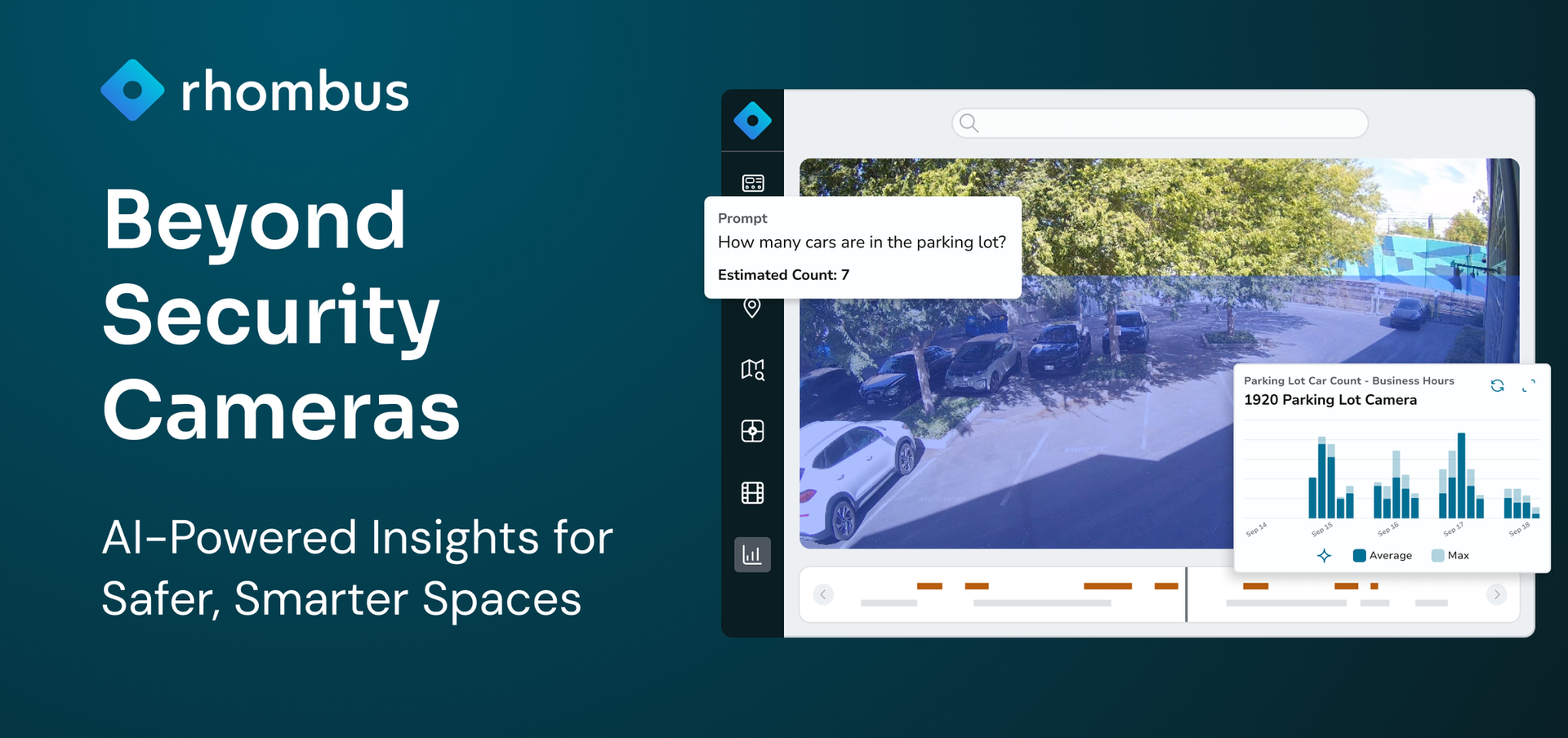
Rhombus works through a certified channel partner network that covers design, installation, commissioning, and ongoing lifecycle support. The combination of a clean cloud-managed platform (with unified video, access control, and AI-powered analytics) and a partner who knows local codes and cabling makes deployment predictable instead of painful.
Security Solutions
We make every moment count with solutions designed just for you.
AI-Powered Analytics
Transforming spaces with intelligent data for enhanced decision-making.

Manufacturing Security
Tailored systems to protect your manufacturing operations from end to end.
Smart Camera Choices
Selecting the optimal camera for clear and reliable surveillance.
Try Rhombus for Free!
See why school districts, cities, and Fortune 500 companies use Rhombus
Start Trial